

 Maya Bell47%
 Paul Woods45%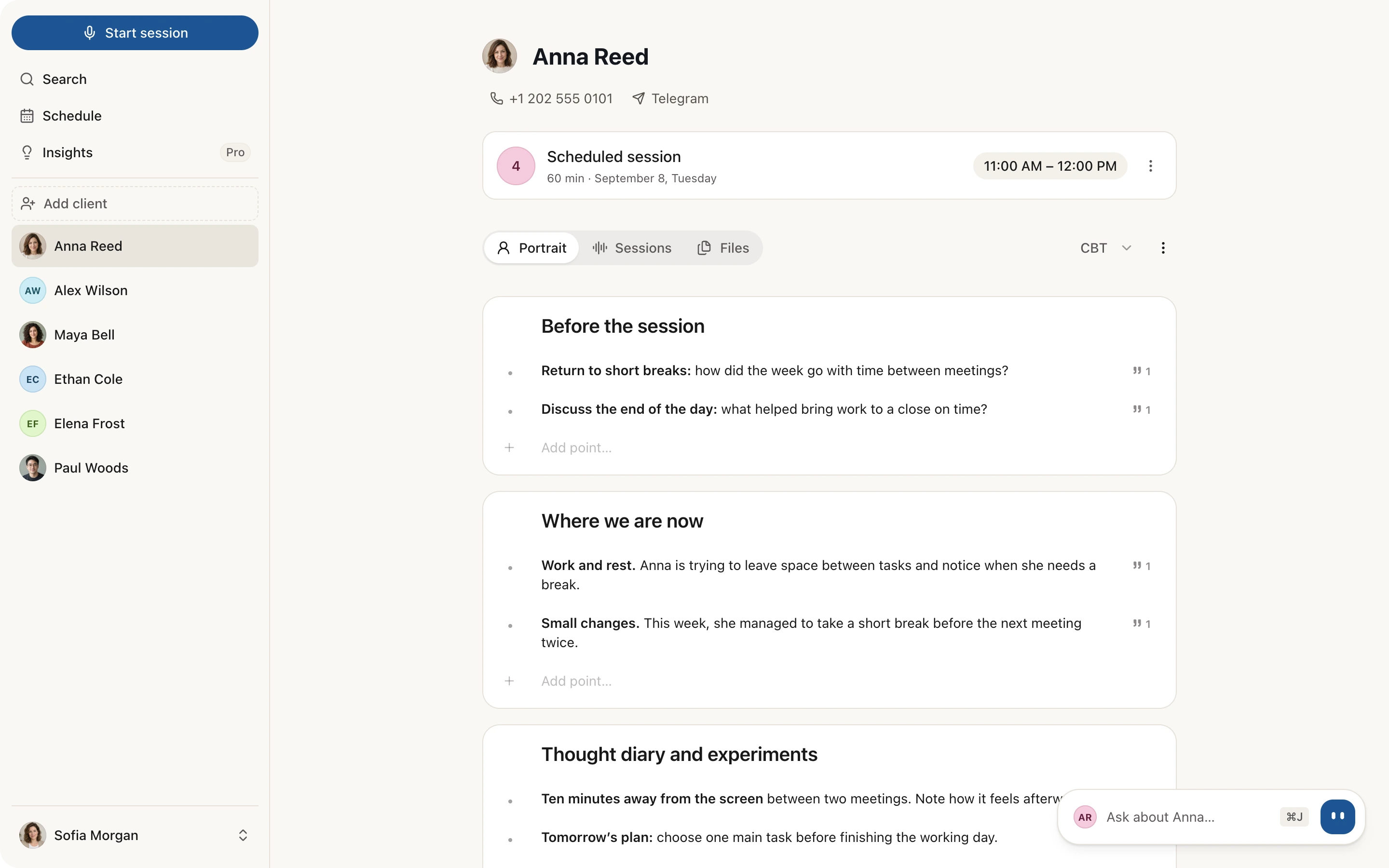
Pick up where you left off
Sessio reminds you before a session. Open the client’s record or ask Sio: last session’s themes and agreements are at hand.
Context before your next meeting
For psychotherapists, mentors and coaches
During the session your attention stays with your client, not on a notepad.
Sessio prepares a note in your approach.
The note
Sessio drafts a note for every session. Themes and agreements add to the client’s history.
How Sessio works
Sessio reminds you before a session. Open the client’s record or ask Sio: last session’s themes and agreements are at hand.
Context before your next meeting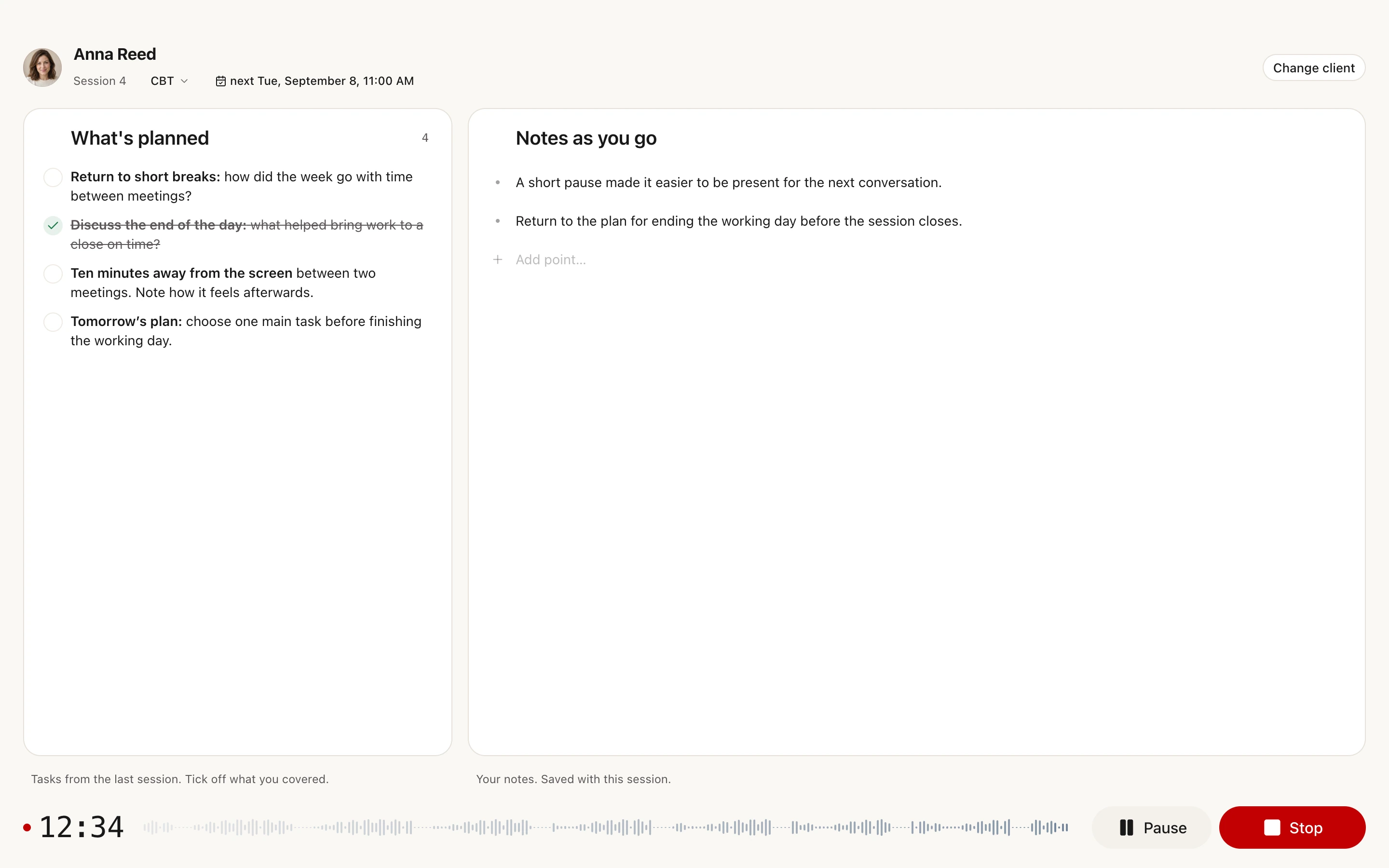
 Anna
Anna You
You

Keep your plan in view and take quick notes during the session. Record in Sessio or upload an existing audio file.
Record a session or upload MP3, M4A or WAV
Sessio prepares the transcript and a note in your approach. Each point links to a moment in the conversation, and it is easy to add your own observations.
Structures for 27 methodologies
Themes, changes and agreements from each session add up in the client portrait. The more sessions, the fuller the picture, and any point leads back to the original quote.
Client history with source referencesPrivacy and control
Each account is protected at the database level. Audio is deleted after processing.
We don’t use recordings or transcripts to train models, and we don’t sell your data.
All notes and the client’s history export to PDF and Markdown.
Zoom, Google Meet, Teams and other apps on your Mac. Sessio records the conversation. For an in-person session, just use your microphone.
 Zoom
Zoom Google Meet
 Microsoft Teams
 FaceTime
 Webex
WebexRecord in Sessio or upload an existing audio file.
More than notes
Past sessions, notes, agreements and files live in one client card. Before a session it is easy to get back into context.
See it on screenClients pick a free slot through your link, and you confirm the request. Sessions sync with Google Calendar or Apple Calendar.
See it on screenAsk what you agreed with a client, what changed between sessions and which themes keep coming back. Sio answers from your notes and shows the source.
See it on screenAnna ReedToday we explored why work keeps going even after the last call. Here are the main points to come back to during the week.
Next time, we will talk about what worked, when stopping felt difficult and the rhythm you would like to keep. These observations are material for our conversation, not a checklist to complete perfectly.
12:05Copy the short takeaways and send them in a messenger. Your client keeps the main ideas and what you agreed on.

Your day in one list. See the time, duration and client at a glance, with space to prepare for your next session.

Choose your working days and hours, add breaks and plan time off. Your schedule reflects when you are available to see clients.

Subscribe to your Sessio schedule in Apple Calendar, Google Calendar or another calendar by link. Show the client’s name, initials or just “Session”. Updates may take time, depending on your calendar.

Open the Command palette to jump to a client, find a session or run an action. One search field brings it all together.
Insights
Insights highlight your patterns across several sessions: which questions you ask, how you respond to a client’s feelings, how much you talk. It is feedback for you between supervisions.
Questions about Sessio
Free during the beta. Sessio is free while the beta runs, and every feature is available without payment. We will tell you about plans well in advance.
How does Sessio compare with your current tools?Sessio helps psychologists and therapists with notes after sessions. The macOS app transcribes the recording, prepares a note in the approach you choose and keeps the client’s history. Decisions about therapy stay with you.
Yes. Save the meeting audio and upload an MP3, M4A or WAV file, and Sessio prepares the transcript and the note. It is simpler to record the session right in Sessio, though: then there is nothing to save or upload.
Sessio has note structures for 27 methodologies, including CBT, ACT, DBT, EMDR, Gestalt and psychodynamic therapy. Choose your approach and notes follow its sections.
Every point in the note links to a moment in the conversation. If some wording raises a question, open that moment and adjust the text. You always have the final say.
Recordings and notes are stored in the cloud and are available only through your account. We use external services for speech recognition and note preparation. The privacy policy lists them and explains how processing works.
Yes. Enable online booking in your schedule settings and send your client the link. They choose an available time in their time zone. You confirm or decline the request in Sessio.
Sio helps you quickly find what you need about clients and sessions. Ask what you agreed on, which tasks were set or how a theme changed, and Sio answers from your notes with a link to the moment in the conversation. Sio does not diagnose and does not give therapy advice.
Insights highlight your patterns across several sessions: which questions you ask, how you respond to a client’s feelings and how much you talk. It is feedback between supervisions: some things you can change right away, others you take to supervision. You are compared only with your own practice over another period; it is not a rating of your work. The first observations appear after five sessions.
Sessio is free while the beta runs, and every feature is available without payment. We will tell you about plans well in advance.
On Macs with Apple Silicon, that is M1 or later. Download the app and sign in.
Sessio’s interface is available in English, Russian, Spanish, Portuguese, French, German and Ukrainian. You can choose a language in settings. Interface support does not imply equal speech recognition quality in every language.
Yes. Export a session note or a client portrait to PDF or Markdown. Short takeaways for the client can be copied and sent in the messenger you already use.

I’m building Sessio so that during therapy all your attention goes to the client.
Therapy rests on trust. Technology should support that work with care. That’s why Sessio has three simple principles.
Sessio drafts the note, but what to keep, what to add and what to remove is up to you.
We don’t interfere with your work: no diagnoses, no interpreting the client’s words, no advice.
Audio is deleted after processing. We aim to uphold all global standards for data protection and storage.
Try Sessio and tell me what helps in your practice and what could be better. Your experience will help shape what comes next.
Write to meOn Telegram
Start with your first recording