Software for therapists session notes, client history, schedule and a website
Sessio is a practice assistant for therapists on Mac. It records the session, prepares a transcript and a draft note in the structure of your approach, keeps each client’s history, runs your schedule with online booking and builds a personal website. It is not an EHR: no invoices, insurance or client portal.
For Mac with Apple Silicon. Free for now, during the open beta.
Everything around the session
Recording, note, client history, schedule and website in one app.
You stay the author
Sessio prepares a draft. What to keep and how to word it is up to you.
No invoices, no insurance
Sessio does not do bookkeeping or work with insurers. Only the work around the session.
How it works
From recording a session to preparing for the next one
A recording becomes a transcript, the transcript becomes a note, notes become the client’s history, and that history helps you prepare for the next meeting.
1. Record
Record a session or upload an existing recording
Sessio records your microphone and the call audio in Zoom or Meet while you run the session. You can also upload a finished recording as a file: mp3, m4a or wav.
A recording widget with pause and a “Call detected” prompt
2. Note
A transcript and a note in your approach
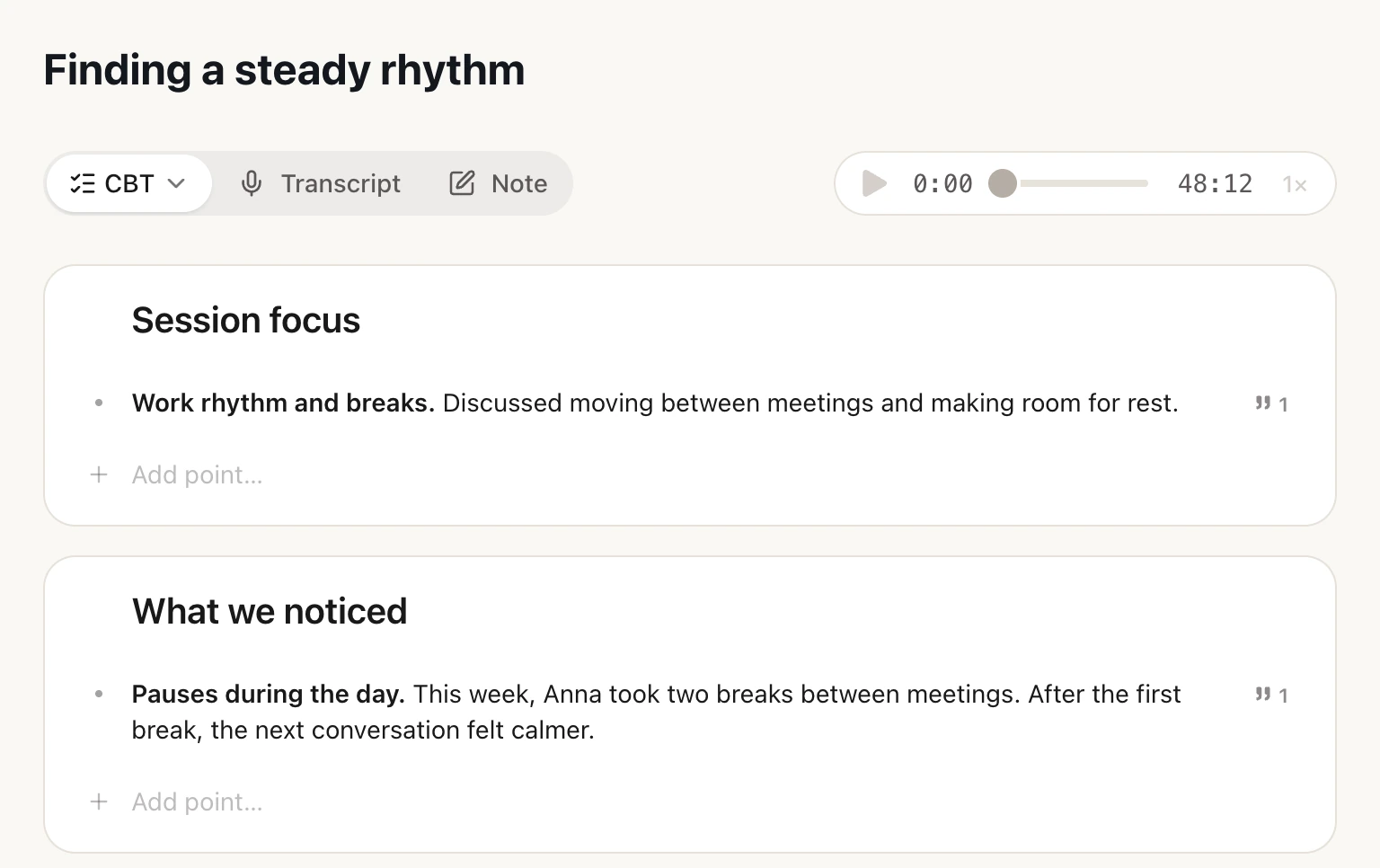
Sessio transcribes the conversation by speaker, you correct lines and search the text. A draft note is prepared from the transcript in the structure of your approach, and each point can open the quotes behind it so you can check them.
27 approaches: CBT, ACT, DBT, Gestalt and more
Export to PDF and Markdown
3. Client
Client history before the next meeting
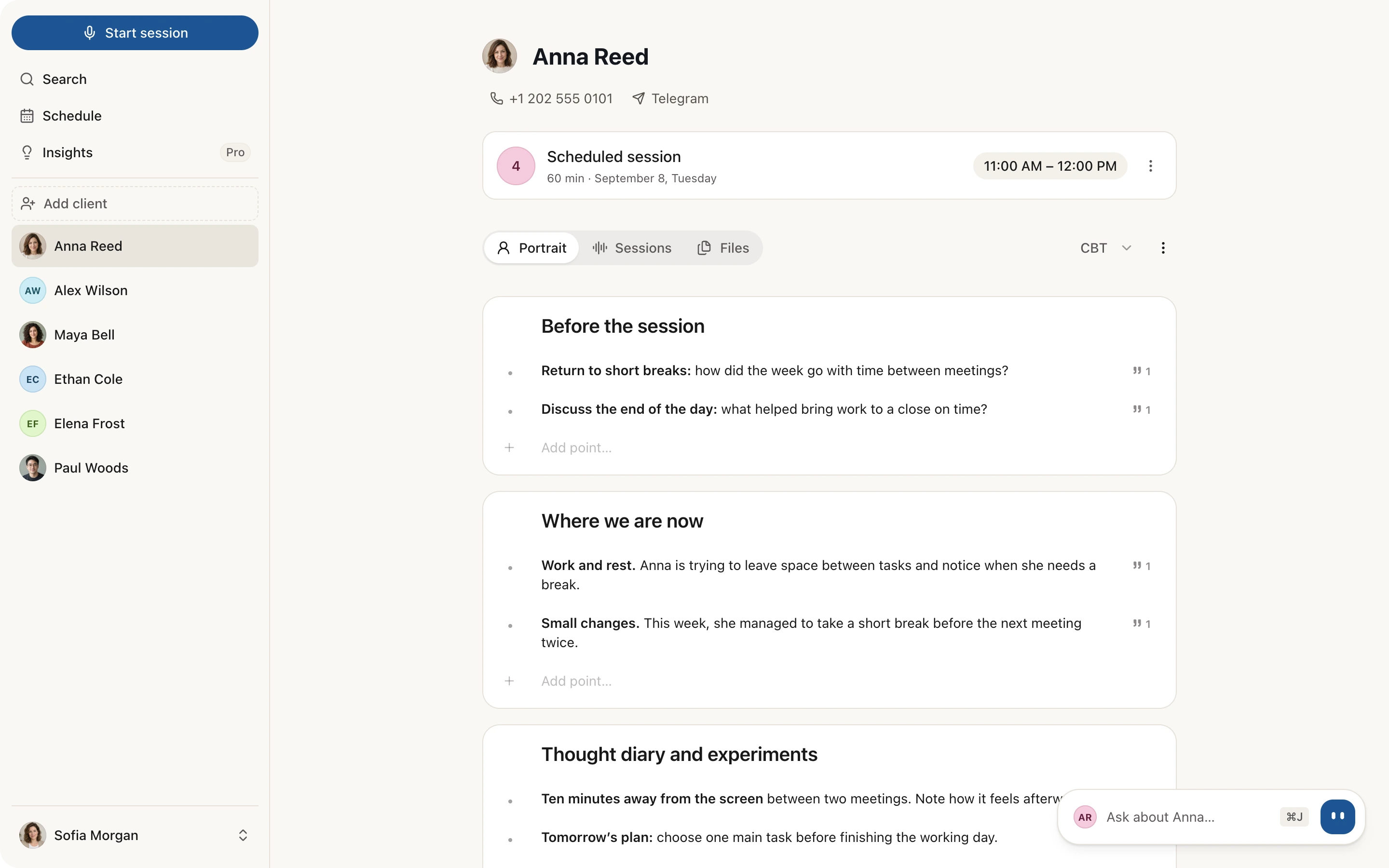
The client card gathers sessions, files and a Portrait: themes, agreements from the last session, what to discuss next. Before a meeting you open the context instead of rereading every note.
“Last time” appears when you start a recording
You prepare and send the client summary yourself
4. Schedule
Appointments and online booking by link
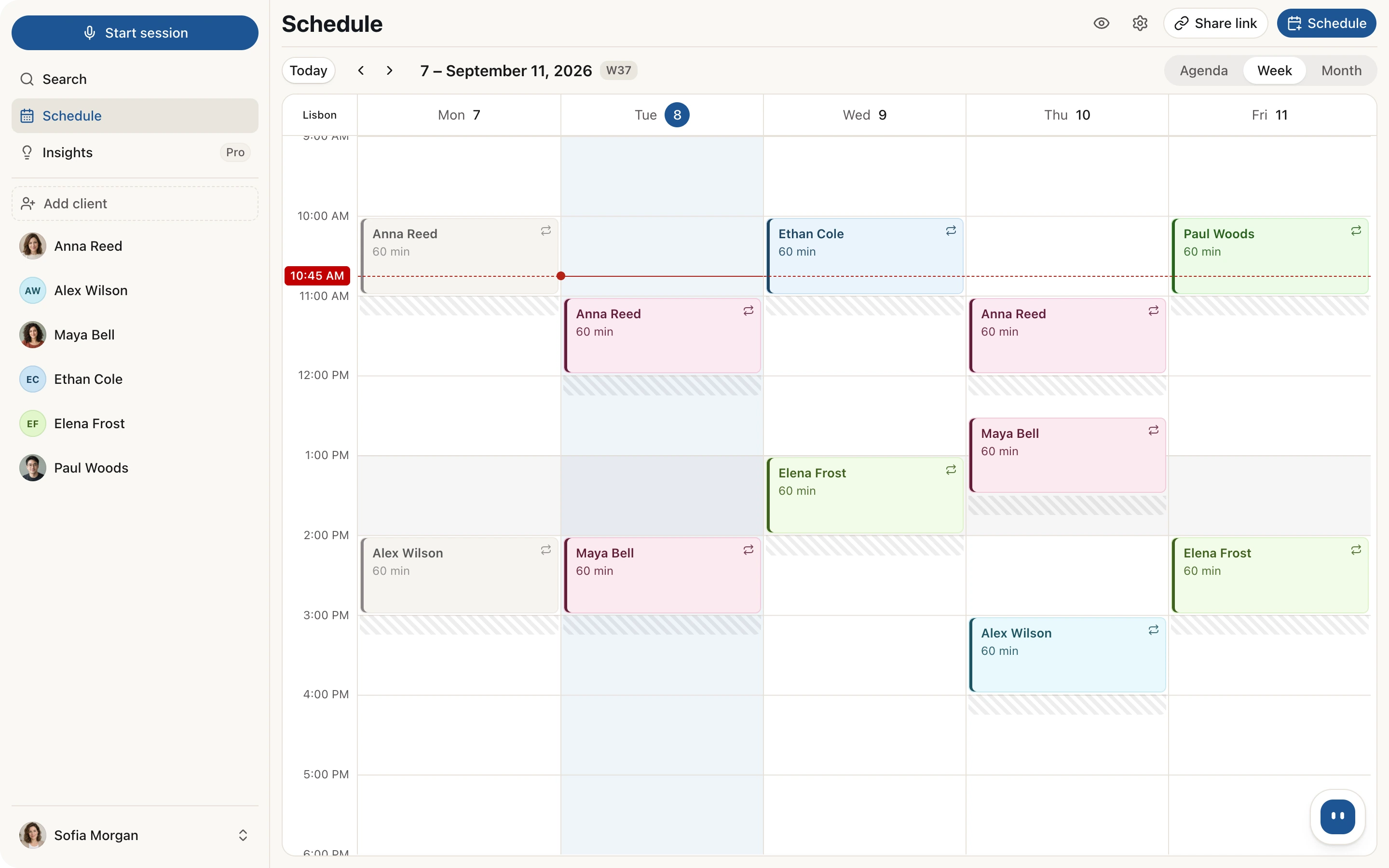
Appointments, recurring sessions and Zoom or Meet links in one calendar. A client picks a free time through your link and you confirm the request. Your appointments can be shown in Google or Apple Calendar.
The calendar connects by a one-way subscription: Sessio does not read events from your calendar
A request becomes an appointment only after you confirm it
5. Website
A personal website for your practice
The site is built from ready-made blocks: about you, approach, prices, booking. The address looks like sessio.health/username, and visit statistics are in the app.
Which questions you ask, how you respond to a client’s feelings and how much you talk yourself. Feedback on your own work, not an assessment of the client.
On first launch you can upload past recordings from the folder where Zoom saves sessions. They are processed like new ones.
FAQ
Frequently asked questions
A short answer on what Sessio does and what it does not.
Is Sessio an EHR or a CRM?
No. Sessio is a practice assistant: it records the session, prepares a note, keeps client history, and runs your schedule and website. There is no electronic health record, invoicing, insurance or client portal.
Can I invoice clients or take payments in Sessio?
No. Sessio does not issue invoices or take payments from your clients. Keep billing where you have it now: Sessio works alongside and covers the work around the session.
Which computers does the Sessio app run on?
On Mac with Apple Silicon (M1 or later). There are no apps for Windows or Intel Macs yet. You can leave your email on the download page to hear about Windows.
Does the schedule sync with Google and Apple Calendar?
You can add Sessio appointments to Google or Apple Calendar through a subscription link. It works one way: Sessio does not read or change events in your calendar.
How much does Sessio cost?
During the open beta every feature is free.
Can I bring in past sessions?
Yes. On first launch you can upload past recordings from a folder, for example the one where Zoom saves sessions. Sessio processes them like new recordings.
Try it
Start with one recording
Download the Mac app, add your first client and record a session. The beta is free for now.